GraphQL
The GraphQL action lets Connxio send messages to external GraphQL endpoints over HTTP. This action is available in both as a transformation step or and outbound action. The GraphQL editor supports fetching the GraphQL schema from the endpoint to provide query validation and autocompletion.
Configuring the GraphQL action
To configure Connxio to send data to a GraphQL endpoint, select GraphQL in the action list.
When you create or edit a GraphQL action, the UI is split into two parts:
- The shared HTTP request section, where you configure the endpoint, authentication, headers, and request body.
- The
GraphQL settingssection, where you configure GraphQL-specific behavior.
Core settings
The GraphQL action uses the shared webhook configuration for the HTTP request itself.
- HTTP method: The HTTP verb used for the request.
- Endpoint URL: The GraphQL endpoint to call.
- Authorization: The security configuration used for the request.
- Headers: Optional request headers.
- Body: The GraphQL request payload. This is typically where you provide the GraphQL query or mutation.
- Advanced error handling: Lets you define rules for handling unsuccessful HTTP responses.
Schema introspection
If the GraphQL endpoint supports schema introspection, Connxio can automatically fetch the schema directly from the endpoint to enable query validation and autocompletion in the editor.
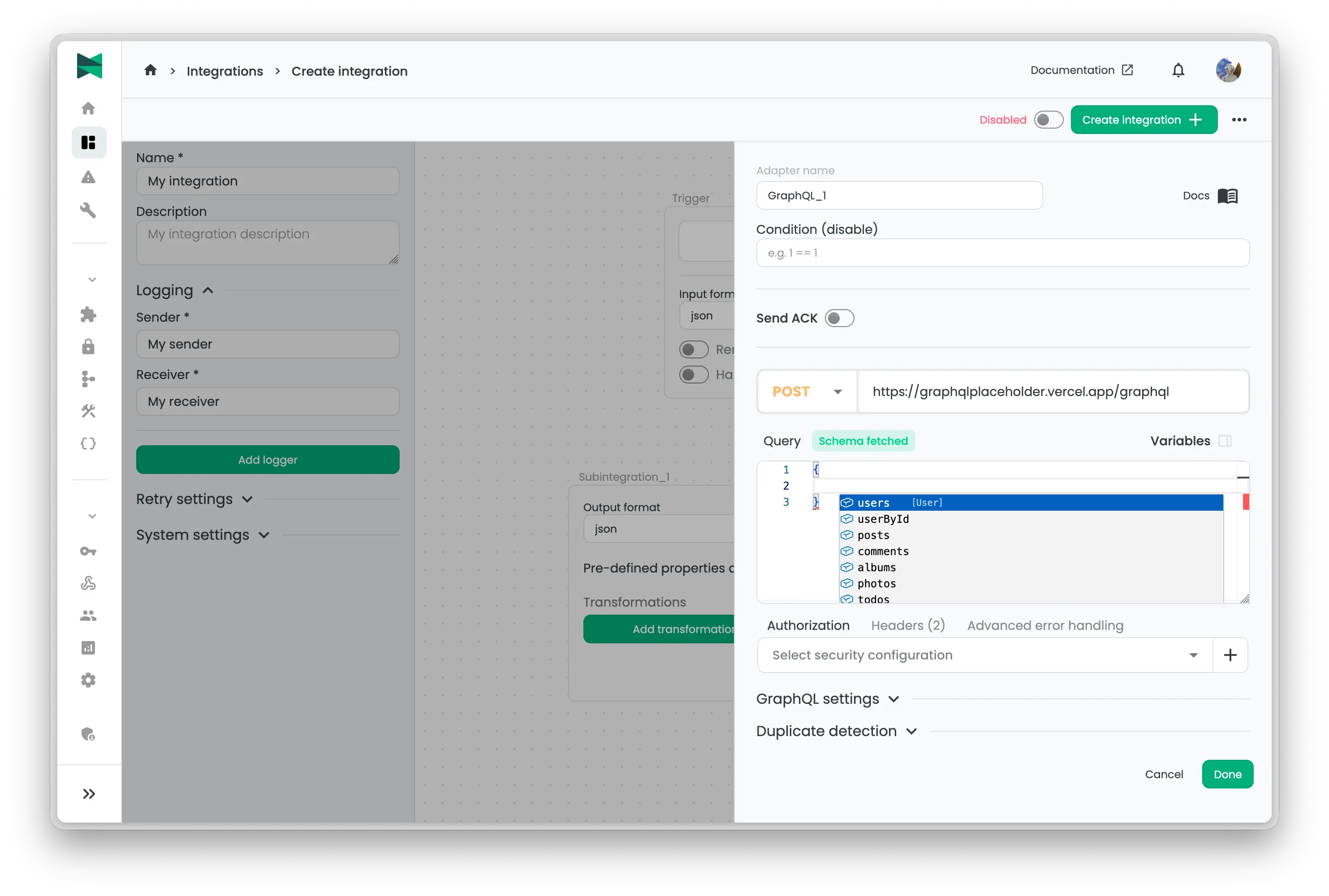
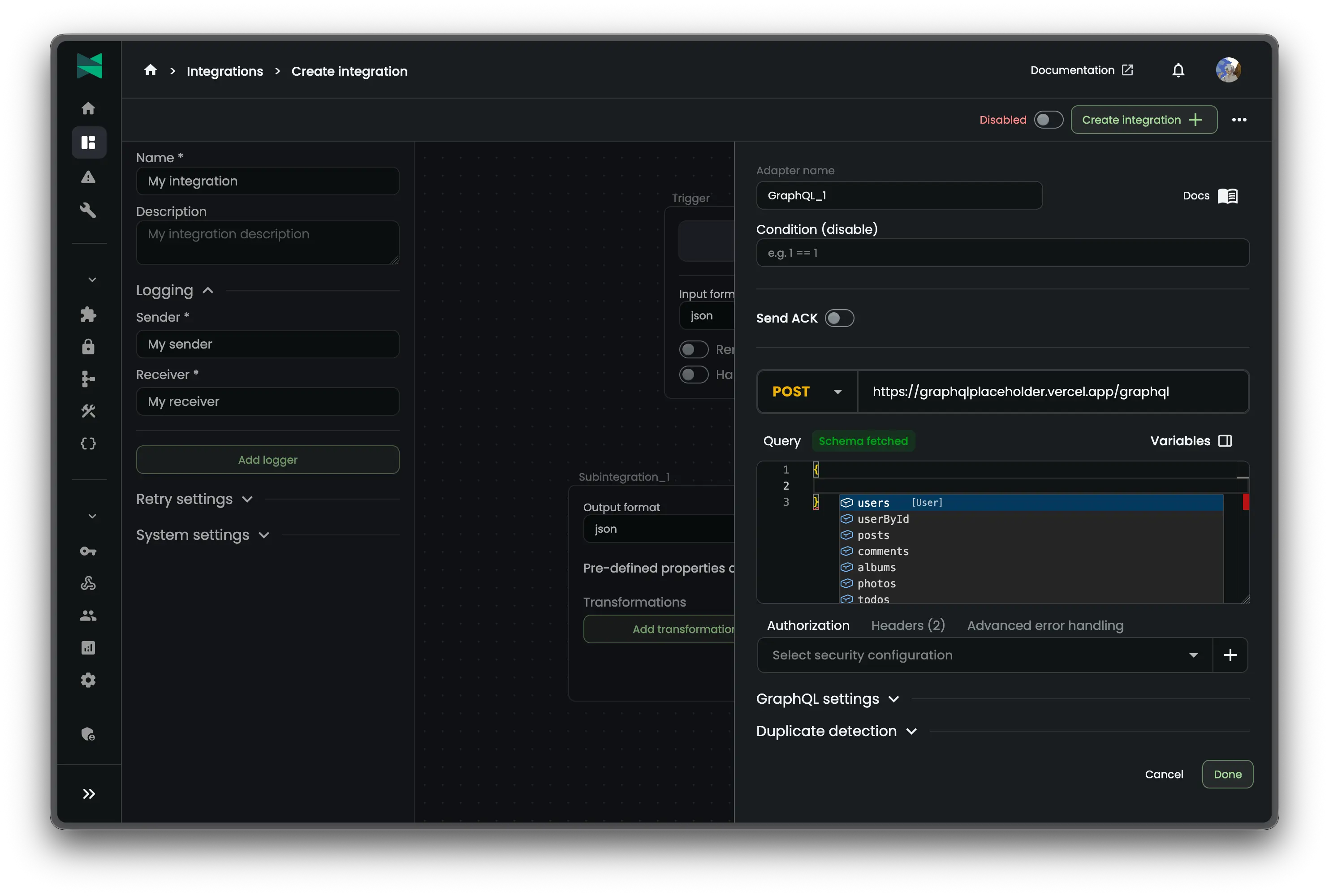
GraphQL settings
The GraphQL settings section contains the GraphQL-specific options exposed by the action.
- Custom timeout (seconds): Overrides the HTTP timeout for the request. The allowed range is
10to180seconds. - Handle response as binary: Treats the response body as Base64-encoded binary data instead of regular text content.
- Use content as request body: Sends the current message content as the GraphQL request body instead of the body configured in the action. When this is enabled, you must ensure that the message content is already a valid GraphQL request payload.
Transformation-specific settings
When GraphQL is used as a transformation step, the action exposes a few additional options:
- Variable name: Stores the result under a named variable for later use in the integration.
- Use date delta: Enables the
{date.UseDateTimeDelta}variable so the request can reference a moving start date based on the polling interval or cron schedule. - Use response as content: Replaces the current message content with the response body returned by the GraphQL endpoint.
- Continue on GraphQL error: Allows the integration to continue even if the GraphQL response contains an error.
- Current message content format: Defines the message format of the current content when it differs from the configured message format. This is used for variable injection.
Notes
- For outbound GraphQL delivery, Connxio can throttle requests so only one message is processed at a time by enabling the
Sequential deliveryoption. - If
Use content as request bodyis enabled, make sure the current message content is already a valid GraphQL request payload. - In transformation scenarios,
Use response as contentis useful when the GraphQL response should become the input for later steps in the pipeline. - In trigger scenarios, GraphQL uses the same HTTP request foundation and can also expose paging and delta-based retrieval behavior through the shared webhook configuration.