Databricks
The Databricks inbound adapter in Connxio enables integration with Azure Databricks Delta Sharing. Delta Sharing is a secure data sharing platform that lets you share data and AI assets in Azure Databricks with users outside your organization, regardless of whether they use Azure Databricks.
Performance
Databricks is a database. Databases are notoriously difficult to integrate with and the pattern required to integrate with a database is firmly in the anti pattern category. We do not recommend using this adapter unless it's absolutely necessary. The nature of Delta Sharing makes it impossible to do delta updates on data and forces Connxio to get all data in the DB every time the endpoint is called. This can lead to enormous cost and performance issues. Please research all available solutions before using this adapter.
The preferable solution would be to develop an API on top of the Databricks DB or migrate and/or sync files to a more accessible platform meant for integration.
Be advised that reckless use can incur exorbitant costs and potential performance bottlenecks.
If you are still set on using the adapter all we can ask is that you think very carefully about how much data you request and how you handle it through the engine. We will impose severe restrictions on integrations that exceed the bounds of the Connxio eco-system.
Configuring the Event Hub adapter
To start reading an entire table worth of data from Databricks, select the "Databricks Delta" option in the "Inbound Connection" drop down
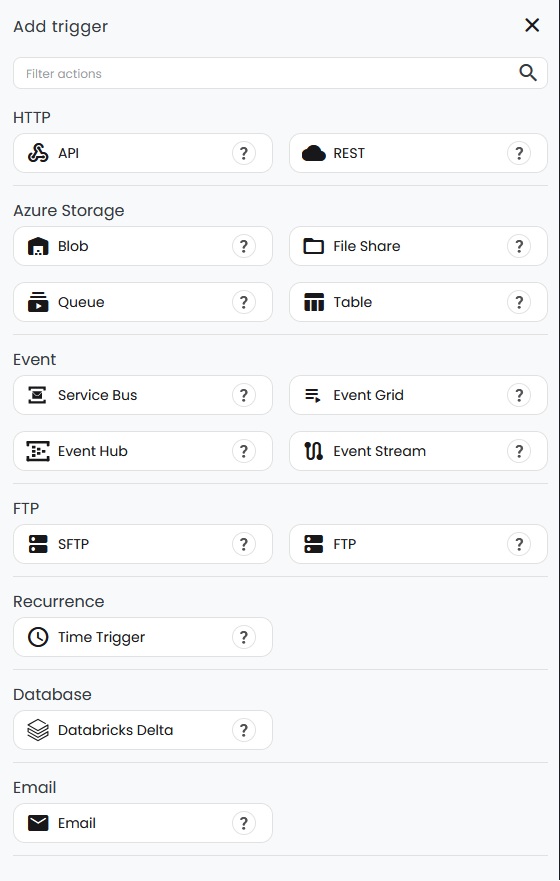
On creating a new adapter, a popup with the adapter's input fields will appear.


- Security configuration: Reference to the Security Configuration that contains the relevant connection properties.
- Share: The share that hosts the schema and table that you want to connect to.
- Schema: The schema that hosts the table that you want to connect to.
- Table: The table that you want to connect to.
- Size limit: The limit for how large a single message can be before Connxio sends it though the system. The value is in KB.
- Custom timeout (seconds): Calls toward the Delta Sharing endpoint is done though http. This value sets the timeout toward the API. The default is 40 seconds.
- Headers: Custom headers to add to the calls toward the Delta Sharing endpoint. These should not be necessary.
Batching
Because of the nature of databricks and the potential size of the data contained within, the Databricks adapter generates batches when needed to ensure that the Connxio engine can handle the amount of data.
A batch is created when the file size threshold is met while processing the parquet files that define the data in the table. A parquet file's size is random and might contain millions or thousands of rows. Batches are created when the threshold is exceeded by the next parquet file in the queue which means that we try to hit the threshold as near as we can but files might be batched at 10% - 100% of the threshold. Usually a number of parquet files are created by Databricks which means that we can come close to 90% of the threshold. The last batch might be considerably smaller dependant on the remaining data after batching occurs.
A batch can also be created when the Delta Sharing endpoint returns more than one page. Each page will always be at least one batch, since a new batch is started every time a page starts. This might mean that you can receive multiple small end batches if content size hits the threshold awkwardly.
TLDR: You will receive batches in random sizes. Prepare to handle all file sizes up to 80MB in you integration.
The current threshold for file size is set at 80MB. You can override this setting in the adapter configuration, but you may not set it higher that 80MB.
Wrapper
Since Databricks is a database without metadata capabilities wrappers are impossible to define. Testing and wrappers do not work on this adapter.
InterchangeId
A new random interchangeId is generated for each created batch. See Batching for more information.
Retry
Since Connxio reaches out and creates files based on DB data when using the Databricks adapter, retry is handled by the Connxio framework. If a fault happens when the trigger interval hits, the integration will be marked for execution at the next interval, which is after 60 seconds. This means that even if you have the polling interval/cron set to trigger hourly or even daily, Connxio will try to execute the configuration every minute until it succeeds.