Splitting
Splitting breaks one message into multiple smaller messages. Each part is sent through the pipeline independently as a new message.
Limitations
Connxio supports input files up to 100 MB. There is no limit on the number of output messages. Each split message is treated as an independent message, with its own logs, resend events, and errors.
Splitting can generate large amounts of traffic. Test your receiving systems thoroughly before sending production-level loads.
Configuring Splitting
To configure splitting, select Splitting in the "Transformations" list.
When you create a new transformation, a popup appears with the splitting input fields.
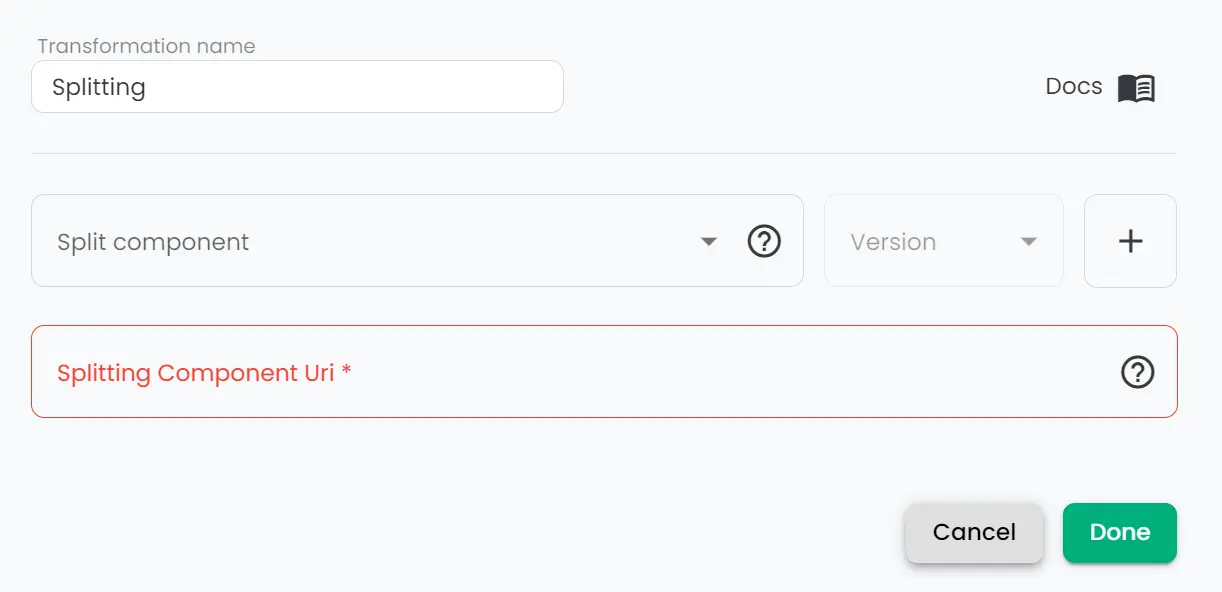
See the sections below for how splitting code and retries work.
Creating splitting code components
NuGet package
Install the Connxio.Transformation package in your C# project:
dotnet add package Connxio.Transformation --version 0.2.2
Or add to the .csproj file directly:
<PackageReference Include="Connxio.Transformation" Version="0.2.2" />
If you still use Communicate.ConnXio.Transformation, migrate to Connxio.Transformation.
Start by creating code that splits a message into multiple output messages. This is similar to map code components, but uses the splitting interface.
Use the splitting boilerplate below:
using Newtonsoft.Json;
using Connxio.NuGet.Public.Transformation.Interfaces;
using Connxio.NuGet.Public.Transformation.Models;

public class MyFirstSplitter : IConnxioSplit
{
    public IEnumerable<TransformationContext> Split(TransformationContext transformationContext)
    {
        // Create object from byte array
        dynamic inboundMessage = JsonConvert.DeserializeObject<dynamic>(transformationContext.Content) ?? throw new ArgumentException("Failed to deserialize inbound message.");

        //Create list that holds new messages
        var output = new List<TransformationContext>();

        //Add elements to list
        foreach (var city in inboundMessage.Cities)
        {
            var outboundMessage = new
            {
                CityName = city.CityName,
                Comment = city.Comment,
                Id = inboundMessage.Id
            };

            output.Add(new TransformationContext
            {
                Content = JsonConvert.SerializeObject(outboundMessage),
                MetaData = transformationContext.MetaData.Copy()
            });
        }

        //Return splitted messages
        return output;
    }
}
Upload the component using the process on the code components page, and select the splitting type.
Testing and best practices
Connxio can generate messages at ~4000 per second at full capacity, so uncontrolled test runs can produce a lot of traffic and incur costs. Recommended test progression:
- One file that splits into 2 messages.
- Two files with 200 messages each.
- Progressively larger files (multiply by 10) up to production level.
Always test at peak load × 2 to account for unexpected spikes.
Retry
Retry behavior depends on where failure occurs:
- If a transient error happens before the splitting code runs, the original message is returned to the queue and retried up to 10 times.
- If failure happens after splitting code runs, Connxio retries delivery with increasing delay, then schedules the message through the disaster pipeline.
Retries can delay delivery of split message units. Check your logging provider for warnings; if none appear, contact your representative.